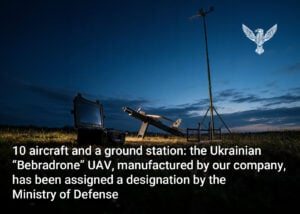
BlueBird Tech is launching a new game, “Bebradrone: Sky Survival,” where players can control a digital version of the real Bebradrone fixed-wing UAV. The goal is to stay in the air for as long as possible while dodging missiles from enemy air defense systems.
The UAV is controlled using a touchscreen joystick. During the flight, players must maneuver around interceptors, collect coins, and pick up special bonuses.
But the game’s main attraction is the real-time leaderboard. The app ranks players by flight duration – the longer you stay in the air, the higher you climb on the leaderboard.
What bonuses can you get in the game “Bebradrone: Sky Survival” by BlueBird Tech
Coins collected during flights can be used to upgrade the fixed-wing UAV in your personal hangar. Players can decide how to customize their Bebradrone – for example, by upgrading its stats to make it faster, keep it in the air longer, or give it more “lives.”
During a flight, players can also collect a shield that provides temporary invulnerability, while a heart gives an extra “life.”
The game also features a chevron system for various achievements. These challenges are based on multiple metrics. For example, players can earn an award for:
- staying in the air for 30, 60, 90, 120, or even 180 seconds in a single round;
- collecting 10, 20, 35, or 50 coins in one flight;
- destroying 10, 30, 60, or 100 missiles;
- collecting up to 15 extra “lives”;
- collecting up to 10 energy shields in a single round.
There are also longer-term achievements. Based on total time spent in the game, players can earn the “Day in the Air” badge, collect 5,000 coins to receive the “Altitude Tycoon” status, or destroy 7,500 missiles to become a “Sky Legend.”
How to play “Bebradrone: Sky Survival” by BlueBird Tech
The game is available in the official BlueBird Tech app under the “Entertainment” section. You can download the app using the link:
IOS – https://apps.apple.com/ua/app/bluebird-tech/id6761755563?l=uk
Android – https://play.google.com/store/apps/details?id=com.bluebird.tech
What other tasks does the BlueBird Tech app perform?
The app can connect the drone detector “Chuyka” to a smartphone, allowing users to control the devices and monitor their status. If a user has several detectors, they can view them all in one place and manage each one separately.
One of the app’s key features is software updates in the field. Users can download a new software version wherever an internet connection is available and then install it on their devices even without continuous network access. Multiple “Chuyka” detectors can also be updated using a single smartphone.
The app also includes the user manual “Chuyka” and a “News” section with the latest information about the company’s development and new product launches.